
Run the Brand Teardown call
You screen-share a teardown of the prospect's brand and sell the blueprint off the back of it. If they buy, you take payment and book their access call and their blueprint call before you hang up.
Watch the walkthrough
The flow
Step by step
Start the call the right way
Start the meeting from the GHL-booked meeting link, never a personal meeting room, and record to the cloud from a Shopanova Zoom account with audio transcript on.
This is the only way the call transcript finds this prospect afterward. No cloud recording means no transcript, and no transcript means no blueprint.
Open the teardown
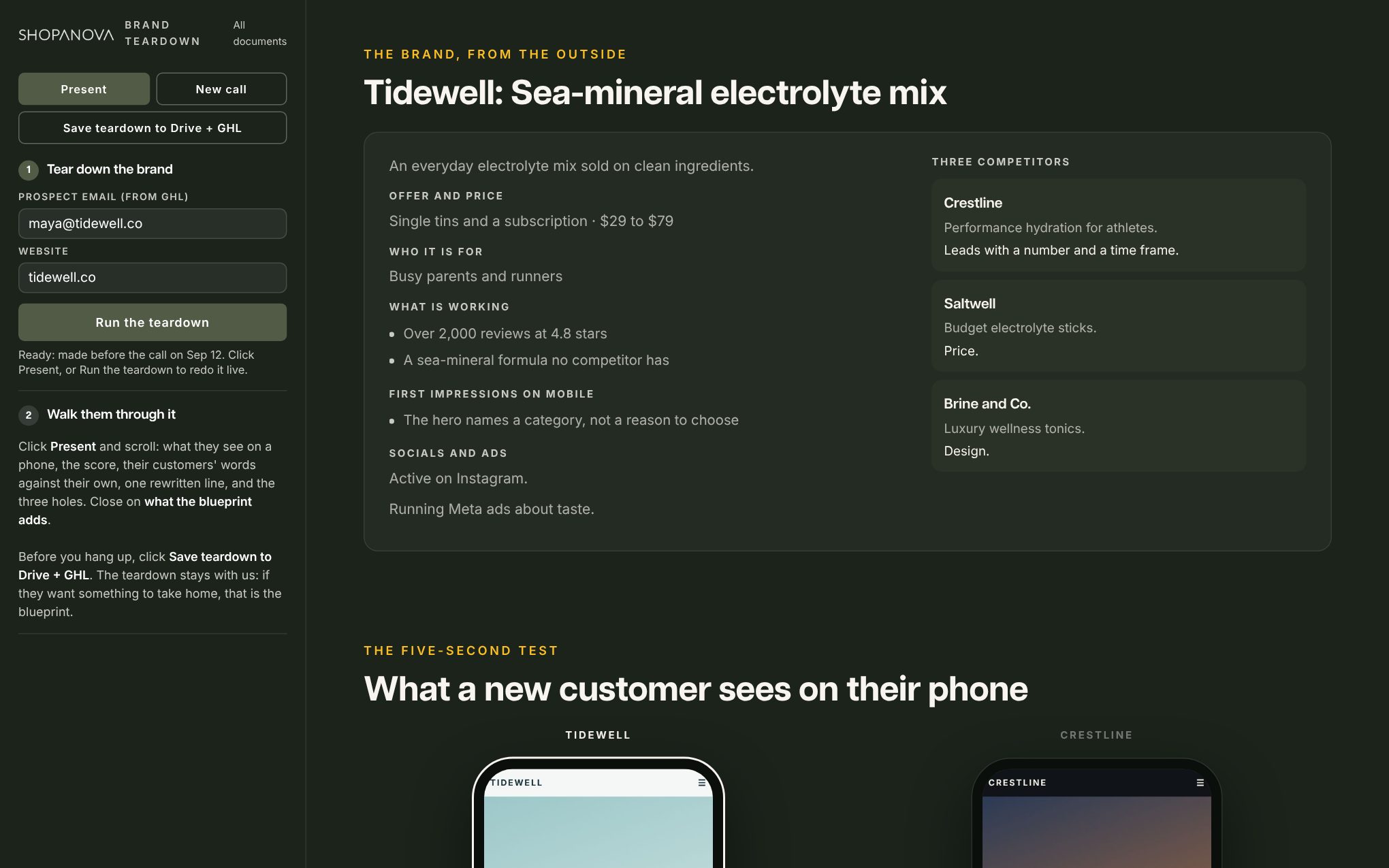
A teardown is made in the background when the call is booked, so it is usually waiting for you.
- Fastest: open the prospect's contact in GHL, scroll to Additional Info, and click the Teardown link. It opens the finished teardown.
- Or: go to engine.shopanova.com/triage, enter the team password, and paste the prospect's email into Prospect email. The status line reads Ready: made before the call.
No link and nothing loads? On the teardown page, type their website and click Run the teardown. It takes about two minutes. Do intros and ask what they want while it runs.
Check it before you share
Scroll to the five-second test. If the competitor is a poor match, a phone is blank, or anything else looks off, run it again: on the teardown page, check the email and website and click Run the teardown. A fresh one takes about two minutes.
Present it, top to bottom
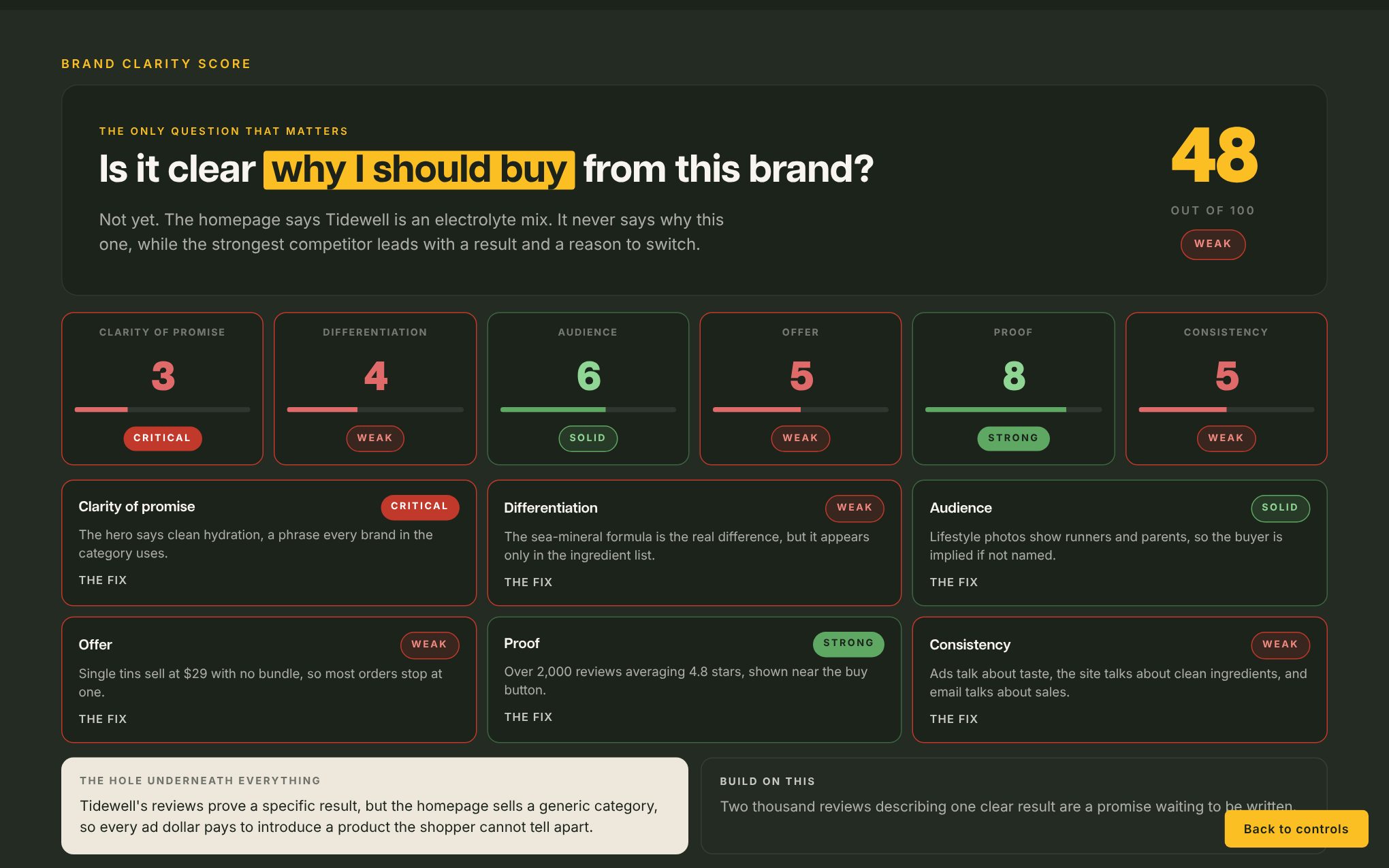
Share your screen. On the teardown page, click Present first to hide your controls. The call is about the brand, not their numbers. The numbers come later, in the blueprint, from their real data.
- The five-second test. Their homepage next to the competitor's on a phone. What does a new customer understand in five seconds?
- The Brand Clarity Score. "Is it clear why I should buy from this brand?" The score, then the six tiles. Red is the story. Open "The fix" only when you want to go deeper.
- In their words. Their customers' reviews against their own site copy. This section does not appear when a brand has no public reviews.
- One line, rewritten. A better headline built on what already works. A starting point, not the finished fix.
- What we found in twenty minutes. The three holes, then what the blueprint adds.
Land the blueprint
Tell them we need access to Shopify, Meta, Klaviyo, and Google to build it, and that our team will walk them through it on a short access call.
If they ask for a copy of the teardown:
If they buy: take payment on the call
Paste the Brand Velocity Blueprint payment link into the Zoom chat and stay on while they pay.
Where to find it: in GHL, go to Payments, then Payment Links, and copy the link named Brand Velocity Blueprint.
Ask them to pay with the same email they booked the call with. That puts the payment on the contact they already have in GHL. When it lands there, their client folder is made by itself and the teardown and call transcript move into it. A different email makes a second contact, and the folder may be named wrong or not made at all.
Payment also adds them to the Blueprints sheet: client name, brand, sold by, and paid. Sold by is the Owner on the GHL contact, so check that is you.
Book their Blueprint Access Call, live
Do not send them off to book it. Open the Blueprint Access Call calendar and book it for them while they are on the line, using the name and email on their GHL contact. Aim for the next day or two.
On that call our team walks them through granting access to Shopify, Meta, Klaviyo, and Google. They get an email as soon as it is booked with what to have ready. Confirm now that they own the Shopify store. If someone else does, get that person's name and email and tell them to bring that person to the access call.
Book the blueprint call
Before you say goodbye, book the call where you present their blueprint on your own Blueprint Review calendar in GHL (Blueprint Review with Josh, or Blueprint Review with Dan), under their contact. Never book it on a personal calendar or a first-call calendar: the Engine only recognises the Blueprint Review calendars. Leave enough days after the access call for the data to be pulled and the blueprint built. You deliver the blueprint and pitch on that call. There is no separate closer call.
Book it on the call. The Engine watches for this booking for 30 minutes after payment and writes the date into the Blueprints sheet as the pitch call date.
Save the teardown if you ran it
A premade teardown you opened from the link is already saved to Drive and linked on the GHL contact. Nothing more to do.
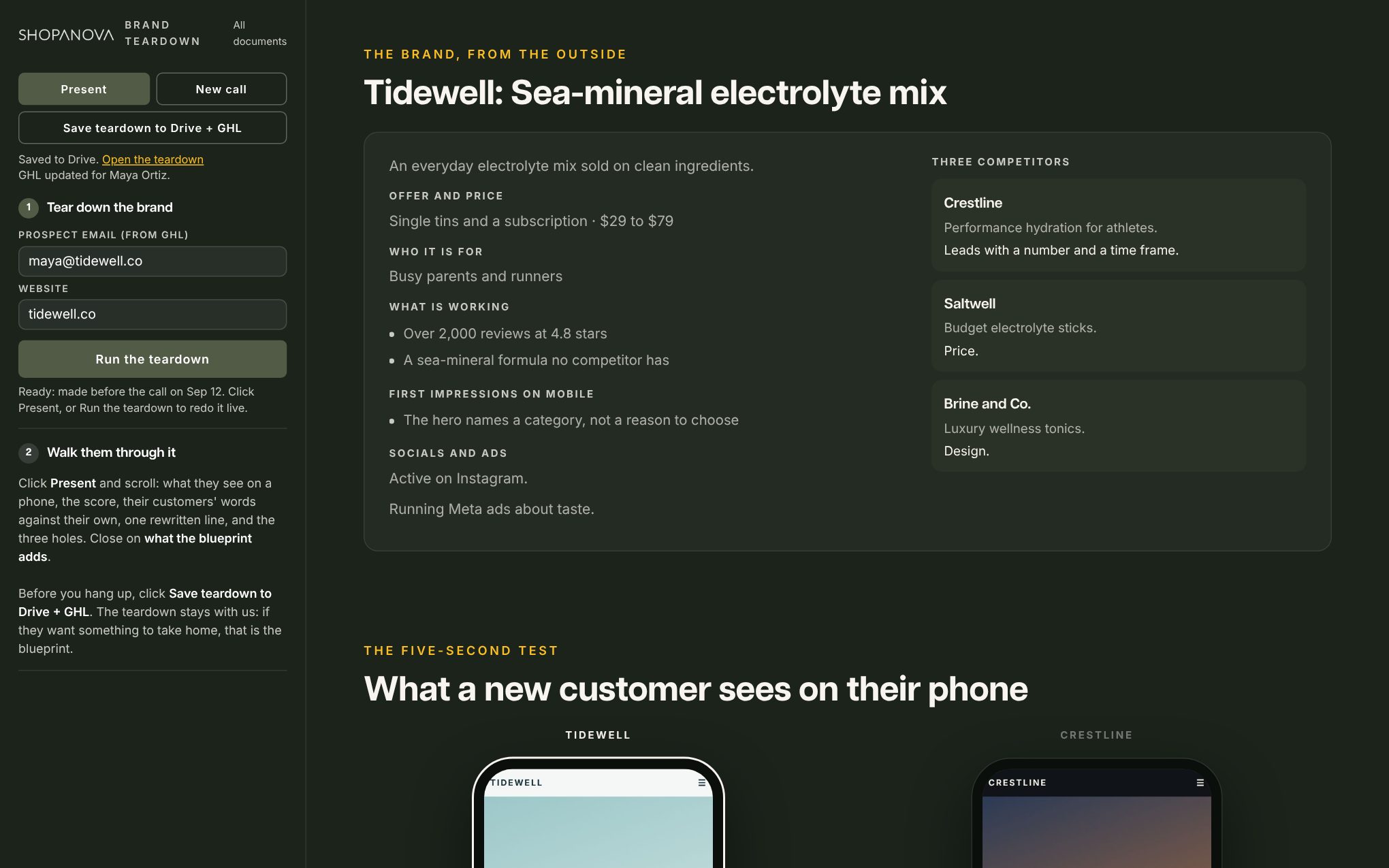
If you ran or re-ran it on the teardown page, click Back to controls, then Save teardown to Drive + GHL, and confirm the brand name exactly as the team will use it. Wait for both lines: Saved to Drive and GHL updated for [name].
Before you move on
Done when
- Call started from the GHL link and recorded to the cloud
- The GHL contact has a Teardown link
- If they bought: payment taken through the Brand Velocity Blueprint link, with the email on their contact
- If they bought: Blueprint Access Call booked for them
- If they bought: blueprint call booked on a Blueprint Review calendar (Josh or Dan), not a personal one
- If they bought: they are in the Blueprints sheet with your name under Sold by
Rules that are not optional
- The teardown is never sent to the prospect.
- The call is about the brand, not their numbers.
- No playbooks on this call.
- You book the access call for them. Never leave it for them to book.
If something goes wrong
- The page says "That took too long"
- Click Run the teardown again. The second pass is usually faster.
- Their own homepage did not load on a phone
- Present anyway. The headlines still show under the empty phone.
- The competitor is wrong or its phone is blank
- Run the teardown again. To swap only the competitor, type a competitor's website and click Retake competitor phone.
- "No GHL contact with [email]"
- The email does not match a contact. Check it against GHL and save again.
- They paid with a different email
- The payment made a second contact. Fill in Brand on that contact so the folder is named correctly, and tell Robby.
- They buy a service on this call, with no blueprint
- Follow Sold without a blueprint the same day. They still need one.
- Starting the next call
- On the teardown page, click New call to clear it.