
Sold without a blueprint
Sometimes a client buys a service directly and no blueprint is sold. The blueprint still has to be built, whether or not the client ever sees it, because onboarding, the Growth Map, and Velocity Express all start from it.
Watch the walkthrough
The flow
Step by step
Open the client folder
The client folder is normally made when the blueprint is paid. With no blueprint sale that never happens, so make it here. This creates Clients / [Brand] with 1 Triage and 2 Blueprint, moves in any teardown or call transcript already filed for them, links the folder on their GHL contact, adds them to the Blueprints sheet marked "No blueprint sale", and messages Robby that a blueprint is needed.
It is safe to run twice. If the folder already exists, it is reused.
Run the teardown
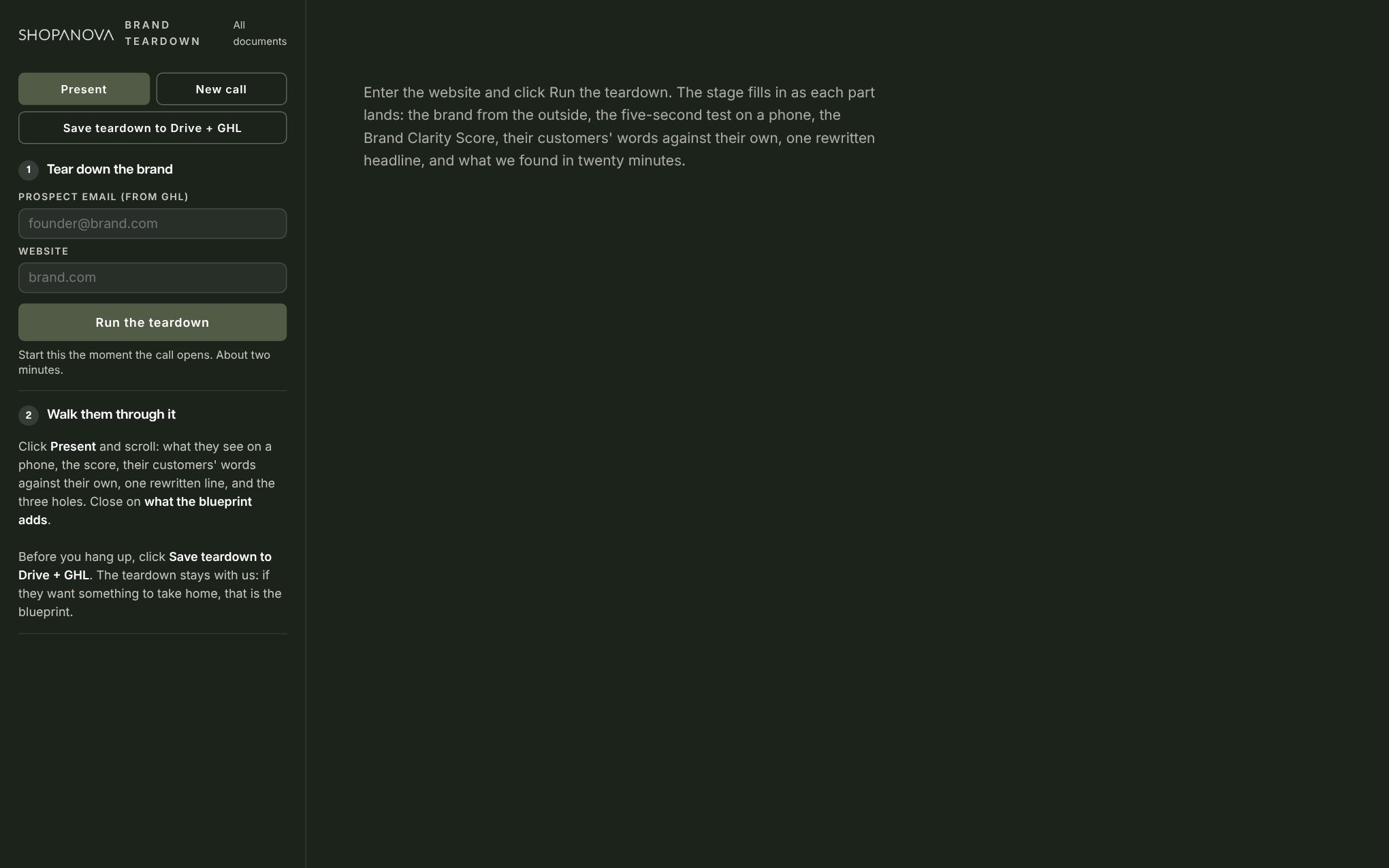
Open engine.shopanova.com/triage and paste the client's email. If a teardown was made when their call was booked, it loads. If not, type their website and click Run the teardown. You do not need to be on a call.
Then click Save teardown to Drive + GHL. It files into 1 Triage.
Find the founder's own words
The blueprint is written to the client's goal in their words, so it needs a record of what they said. Look in 1 Triage for the sales call transcript. It moved in when you opened the folder, if the call was recorded to the cloud.
No transcript? Check Clients / _Teardowns / Unmatched and search Drive by the founder's name. If the call was never recorded, use what the client wrote instead: export their onboarding questionnaire as plain text and save it in 1 Triage as [Brand] Triage Call Transcript.txt. The Engine cannot read Google Docs, so it has to be a .txt file.
Get access and pull the data
If their accounts are not connected yet, book them a Blueprint Access Call. Our team walks them through granting access on it:
Then follow Pull the client's data. Nothing about the pull changes.
Build, check, and save the blueprint
Follow Build, check, and save the blueprint, with one extra line in the prompt so Claude knows what it is working from:
Check sources and click Save + copy client link exactly as normal. Saving is the step that matters here: it puts [Brand] Growth Blueprint.json in 2 Blueprint, which is where everything downstream looks.
Write it to the same standard as a sold blueprint. It may be shown to the client later.
Keep the link internal unless you decide otherwise
Saving makes a client link like any other blueprint. For a client who did not buy one, do not send it by default. Whoever owns the account decides whether to present it, and when.
Carry on with the service they bought
- Coaching: Run the kickoff onboarding, then build the Growth Map.
- Velocity Express: Onboard a Velocity Express client.
- Brand Velocity: the team runs it the current way for now. Build the blueprint anyway, so it is there when Brand Velocity moves onto the Engine.
What depends on the blueprint
| Step | What it takes from the blueprint | If the blueprint is missing |
|---|---|---|
| Kickoff onboarding | The checklist: which of the 35 items still need confirming. | Load from client folder stops and points to this page. |
| Growth Map | The three findings, the path, and the numbers. It is the start of the plan. | Copy for Growth Engine has no blueprint to send. |
| Velocity Express form | Today's daily ad spend and blended ROAS. | The form opens without them, and the Engine messages Robby when the kickoff is booked. |
| Velocity Express Research Pack | The blueprint JSON is the first file attached. | The Research Pack cannot start. |
| Brand Velocity | Nothing yet. It will once it moves onto the Engine. | No effect today. |
Before you move on
Done when
- Client folder exists, with the teardown and the founder's words in 1 Triage
- Exports are in 2 Blueprint
- Blueprint checked and saved: [Brand] Growth Blueprint.json is in 2 Blueprint
- Everyone knows the link is internal unless decided otherwise
Rules that are not optional
- Every client gets a blueprint, sold or not.
- A blueprint nobody paid for is internal unless the account owner decides to present it.
- Same standard, same source check. It may be shown later.
- If it is not in the folder, it cannot be in the blueprint.
If something goes wrong
- "No GHL contact with [email]"
- The email does not match a contact. Copy it from the GHL contact and try again.
- The folder was made under the wrong name
- Rename the folder in Drive and the Brand field on the GHL contact so they match. Everything finds the folder by that name.
- The client will not grant access
- Shopify is the one thing the blueprint cannot be built without. Ads and email can be left out and the blueprint is built from what is there.
- There is no call and no questionnaire
- Ask the client three things in writing: what they want the business to become, what they have tried, and what they want from us. Save their reply as the .txt file.
- The kickoff is already booked
- Build the blueprint before the call. If it cannot be done in time, move the kickoff rather than run it without one.