
Build the Growth Map
The Growth Map is the client's 90-day plan: three phases, twelve weeks, a target and a playbook for each week. Claude drafts it from the onboarding and the kickoff call. You review, present, and save it.
Watch the walkthrough
The flow
Step by step
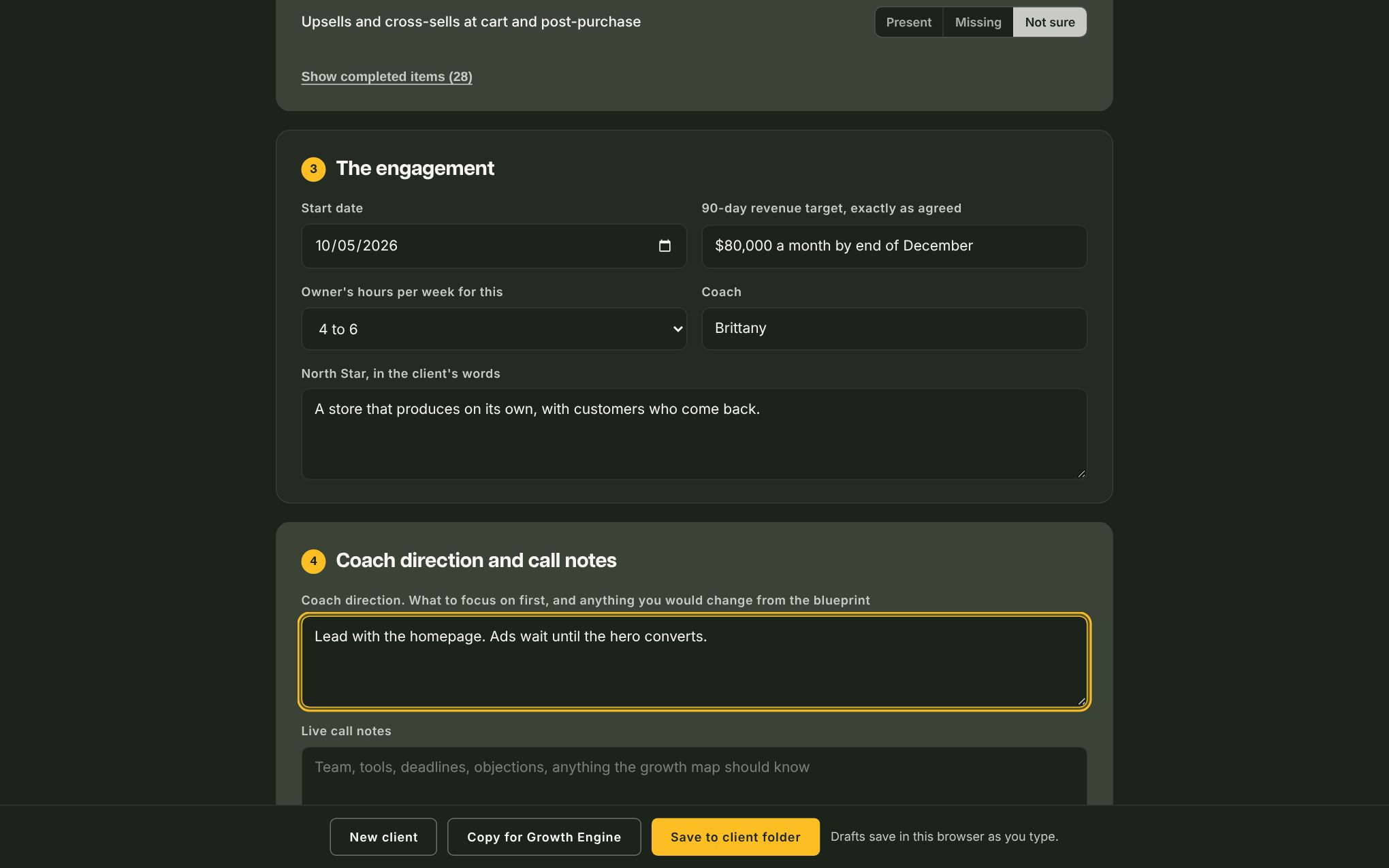
Click Copy for Growth Engine
On the onboarding page, after you have saved, click Copy for Growth Engine. It copies the complete prompt: "Build the growth map for [brand]", the onboarding doc, and the blueprint JSON.
Start a Growth Engine conversation
On claude.ai, open the Growth Engine project and start a new conversation named after the brand. Paste, attach the kickoff transcript, and send. That is the whole prompt.
Claude replies with a short note and the Growth Map JSON.
Paste the JSON and click Render
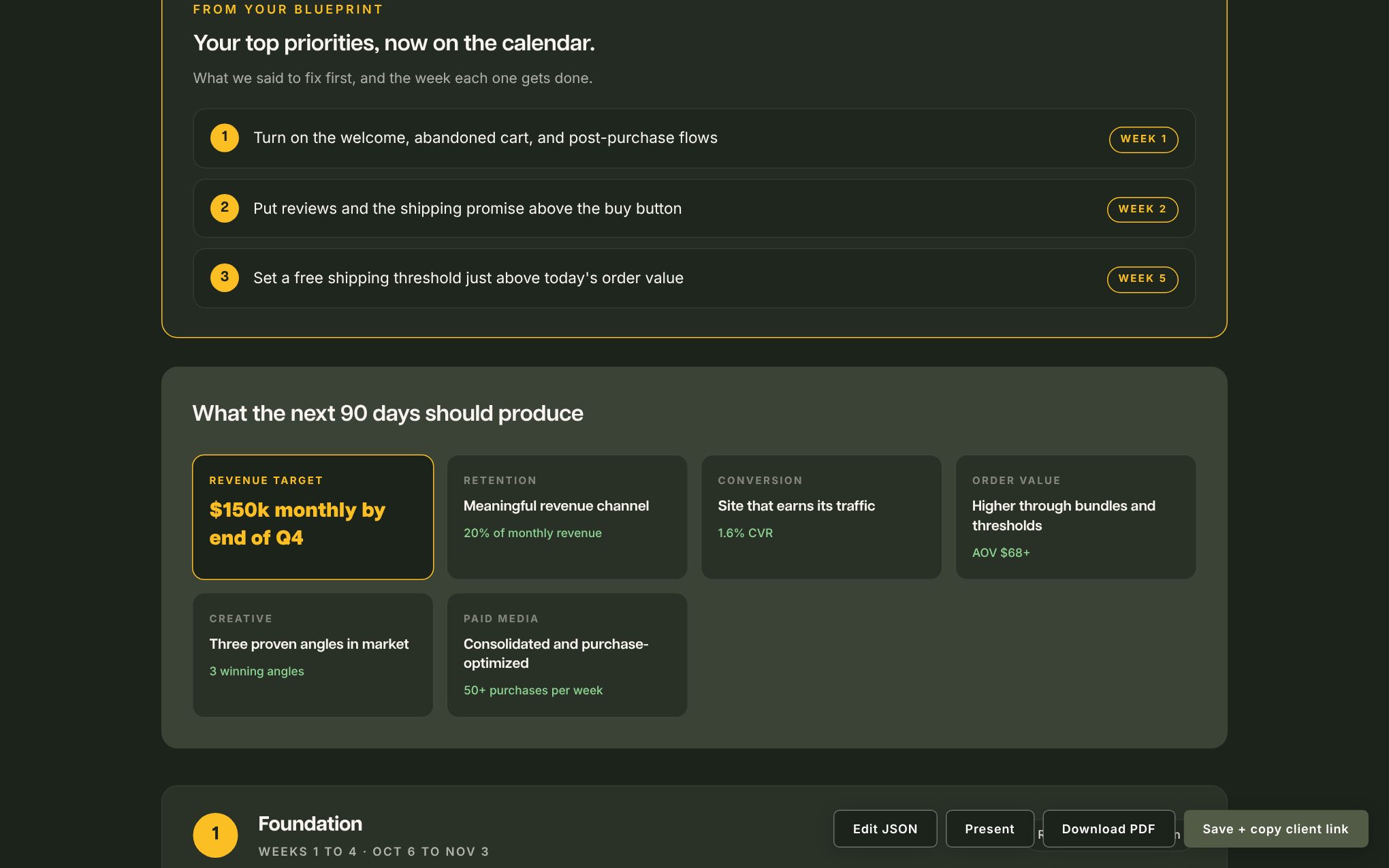
Go to engine.shopanova.com/growth-map, paste the JSON, and click Render (or press Cmd+Enter).
Review it
Read it as the client will. Check that:
- the revenue target matches the onboarding page word for word
- the first weeks follow your direction
- the workload fits the owner's weekly hours
- no playbook marked draft in the catalog is assigned
Revise in the same conversation
Say what to change, then add:
Paste the revised JSON and render again. Revisions only change this client's plan.
Present, download, and save
Click Present on the call. Afterward, Download PDF for your own copy and Save + copy client link to save the Growth Map to the client folder and copy the client's link, engine.shopanova.com/[brand]/growth-map.
Keep this conversation. You will use it for the rest of the engagement.
Before you move on
Done when
- Revenue target matches the onboarding page word for word
- No draft playbooks assigned
- Saved, and the client link opens
- The Growth Engine conversation is named after the brand and kept
Rules that are not optional
- The revenue target is never generated. It comes from onboarding.
- Do not assign playbooks marked draft in the catalog.
- Do not hand-edit the JSON. Ask Claude.
If something goes wrong
- "This JSON is a blueprint document"
- You pasted the blueprint. The Growth Map JSON comes from the Growth Engine conversation.
- The revenue target is wrong
- Fix it on the onboarding page, save again, and ask Claude for the full Growth Map with the corrected target.
- The conversation is getting long
- Start a new one from the latest status update and the files in the client folder.