
Run onboarding for the kickoff call
Before the Growth Map can be built, the coach confirms what the blueprint could not see and captures the engagement: start date, target, hours, North Star, and direction.
Watch the walkthrough
The flow
Step by step
Load the client
Open engine.shopanova.com/onboarding. Type the brand exactly as the client folder is named and click Load from client folder. The blueprint loads and shows its three findings.
If it will not load, open "Or paste the blueprint JSON", paste the JSON from 2 Blueprint, and click Load pasted blueprint.
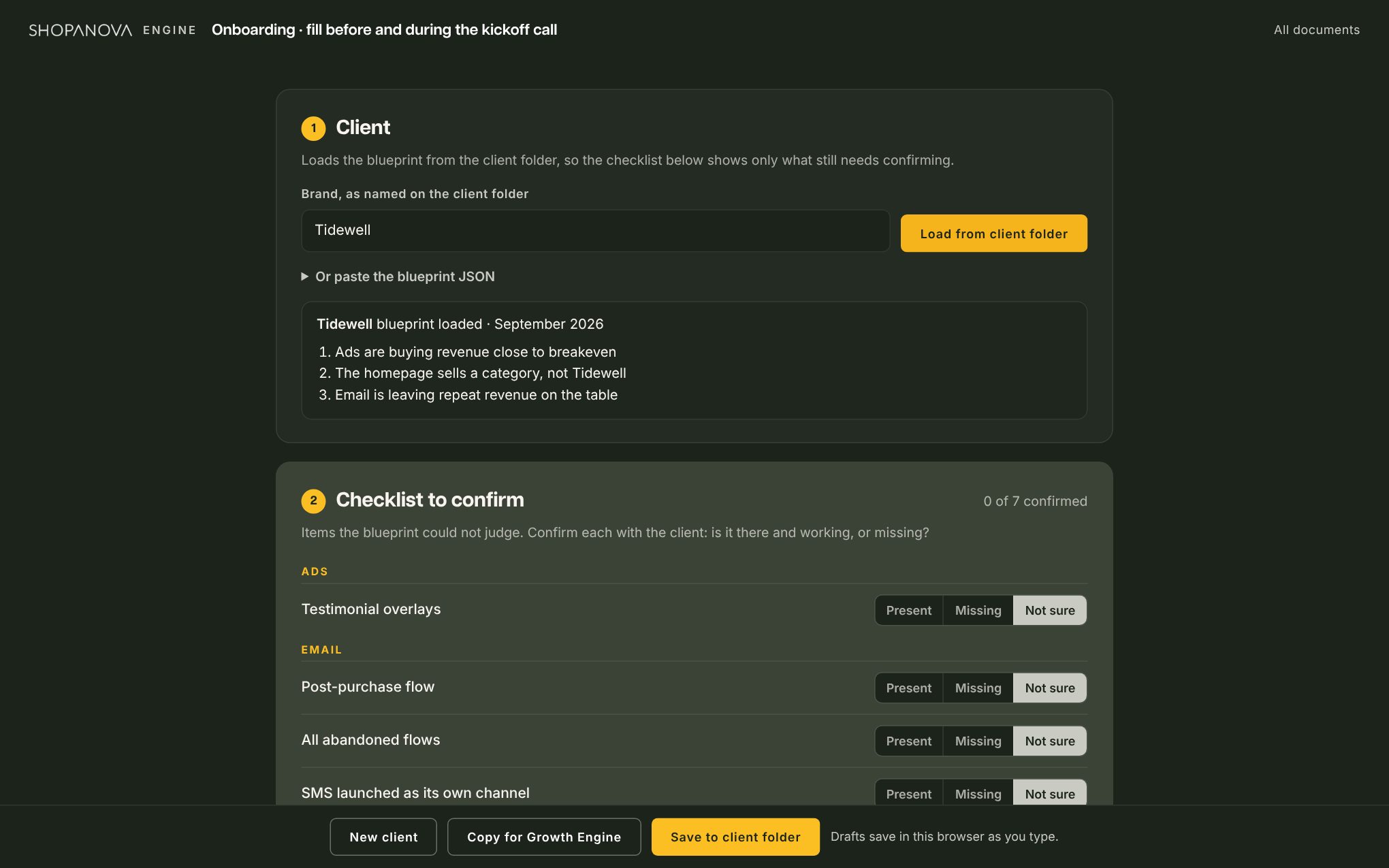
Confirm the checklist with the client
The page shows only the items the blueprint could not judge. Go through each with the client and click Present, Missing, or Not sure. Show completed items reveals the rest if you want to change one.
Fill in the engagement
- Start date
- 90-day revenue target, exactly as agreed. It appears on the Growth Map word for word.
- Owner's hours per week. This sets how much the plan asks of them.
- Coach. Your first name.
- North Star, in the client's words.
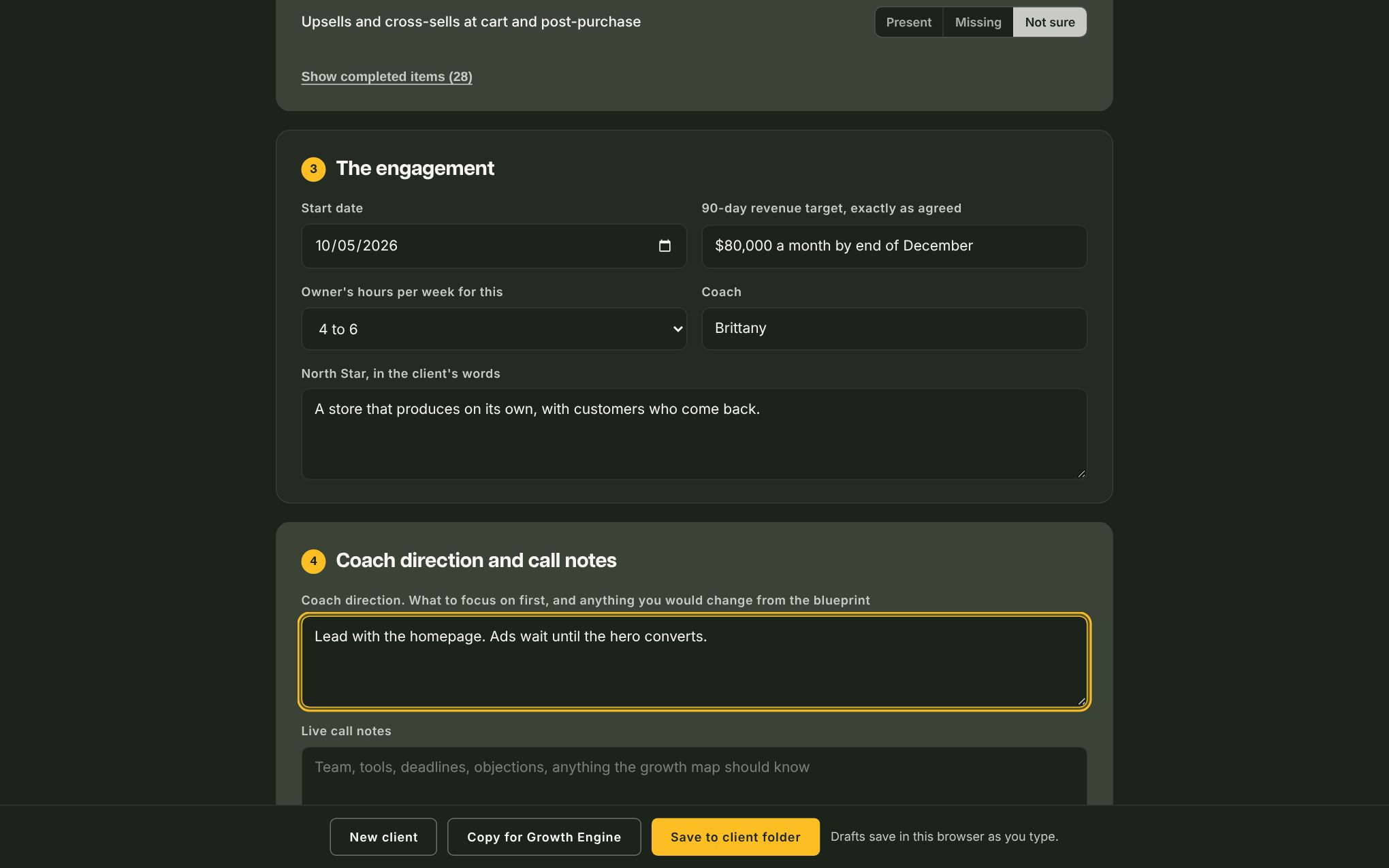
Add your direction and call notes
Coach direction is what to focus on first, and anything you would change from the blueprint. It shapes the Growth Map more than anything else on this page.
Use Live call notes for team, tools, deadlines, objections, and anything else the plan should know.
Save to the client folder
Drafts save in your browser as you type, so you can start before the call and finish during it. When you are done, click Save to client folder. It writes the onboarding doc to 3 Growth Map.
Leave the page open. The next step starts from the Copy for Growth Engine button.
Before you move on
Done when
- Every checklist item marked
- Revenue target entered exactly as agreed
- North Star in the client's words
- Coach direction written
- Saved to the client folder
Rules that are not optional
- The revenue target comes from this page, word for word. Claude never generates it.
- Record the kickoff call to the cloud.
If something goes wrong
- The blueprint will not load
- Check the brand spelling against the folder name in Drive, or paste the blueprint JSON instead.
- The folder has no blueprint
- The client was sold without one. It has to be built before the kickoff: see Sold without a blueprint.
- "This blueprint has no checklist"
- It is an older blueprint, so all 35 items are open. Confirm them all with the client.
- Starting a different client
- Click New client to clear the form.
- The call has not been recorded
- Start it from the GHL link and record to the cloud. The Growth Map needs the kickoff transcript.