
Onboard a Velocity Express client
Booking the kickoff does most of the setup by itself: the client's onboarding link, their Slack channel, and their product images. Your part is two steps when it is booked and two more when their form comes in.
Watch the walkthrough
The flow
Step by step
Check there is a blueprint in the client folder
Open Clients / [Brand] / 2 Blueprint and confirm [Brand] Growth Blueprint.json is there. Velocity Express depends on it twice: the Research Pack is built from it, and the onboarding form shows the client today's daily ad spend and blended ROAS from its numbers.
No blueprint, or no client folder? The client was sold without one. Do Sold without a blueprint first. If you skip this, the Engine messages you the moment the kickoff is booked.
Book the kickoff call in GHL
Book the Velocity Express kickoff on the GHL calendar. Booking is the trigger. In the background the Engine:
- puts the client's onboarding link on their GHL contact, which the welcome email uses
- makes the client's Slack channel, adds you, and pins the welcome message
- starts pulling product images from their store into
4 Assets / From site(up to 60 images, plus a list of every product and image link) - sends you a Slack message: "[Brand] kickoff booked: 2 steps for you"
Invite the client to Slack
Open the channel named in the Slack message and add the client as a guest (channel name, Add people). Paste the note from the message. Slack does not let the Engine invite guests, so this is the one setup step done by hand.
Start the Research Pack
In the Velocity Express Claude project, start a new chat named after the brand. Attach the blueprint JSON from 2 Blueprint, then paste the prompt from the Slack message. It reads like this:
The client fills in the onboarding form
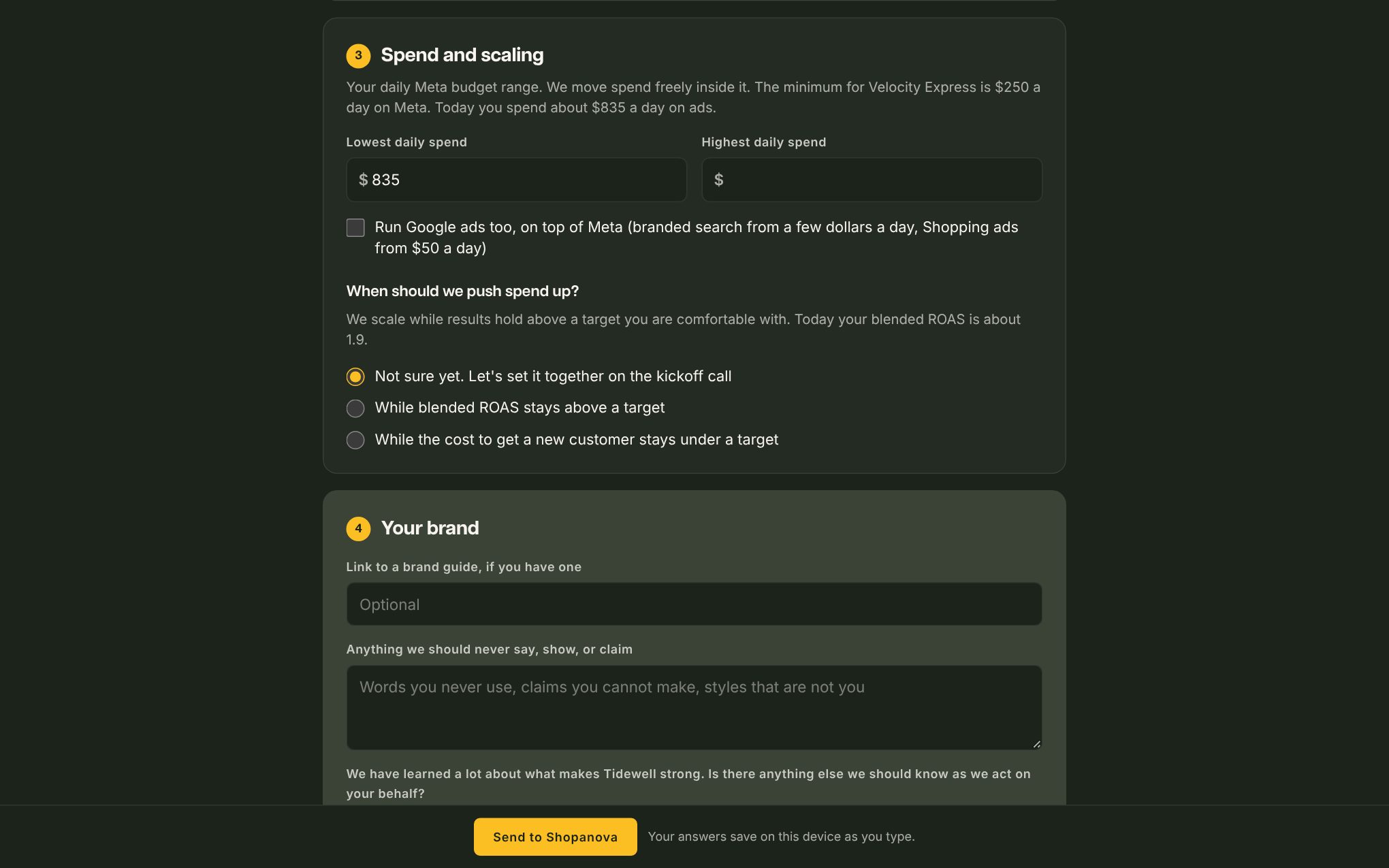
The welcome email and the pinned Slack message both carry their private link. The form takes them about five minutes:
- Slack. Joined, time zone, anyone else to add.
- Offers in ads. The codes we may use, or no discounts.
- Spend and scaling. Their daily Meta range and when to push spend up.
- Their brand. Brand guide and what we must never say, show, or claim.
- The next 90 days. Launches and promotions.
- Creative. Photo and video folders, who is on camera, creators.
- How approvals work. Approved by default inside their guardrails.
- Triple Whale and terms. Their free account, their store address, the testimonial box.
Follow up when the form comes in
Their answers save to Clients / [Brand] / 3 Velocity Express and you get a Slack message: "[Brand] finished Velocity Express onboarding". Work down it:
- Slack: invite a different email or extra people if they asked.
- Triple Whale: if they created their account, a second message has the email to Jake at Triple Whale ready to paste. Send it. If they have not, follow up, then click Email Jake on the team page.
- Assets: if they chose to share photos and videos later, the message gives the date they committed to. Nudge them then.
- Research Pack: in the client's chat, attach the onboarding answers from
3 Velocity Expressand paste:
Settle the open items on the kickoff call
Anything they skipped is settled on the call: the scale target if they chose "not sure yet", break-even from their cost of goods, shipping, and returns, and the Google budget if they want Google on top of Meta.
When a step did not run
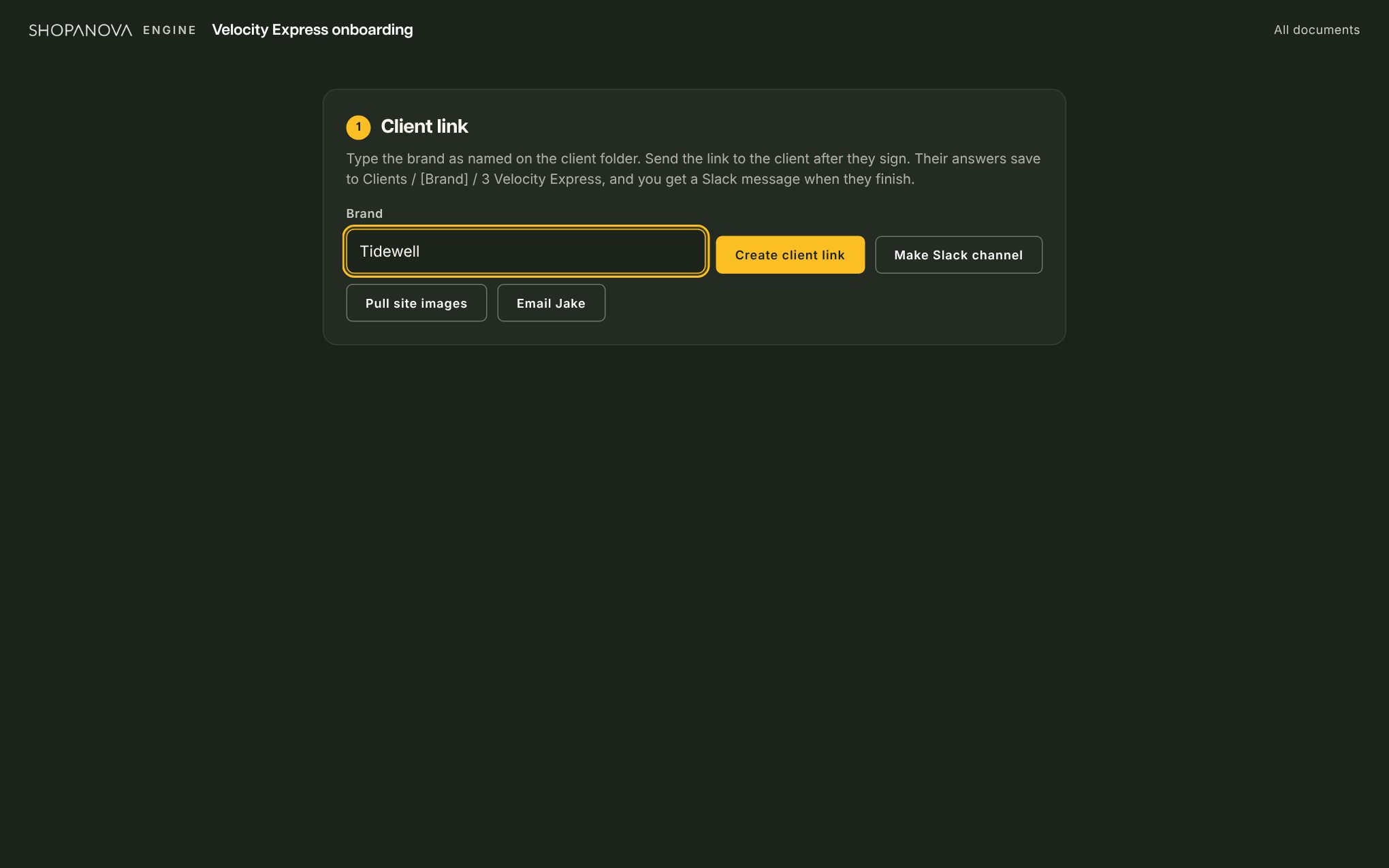
| Button | What it does | Use it when |
|---|---|---|
| Create client link | Makes and copies the client's private form link. | The welcome email went out without a link, or the client lost theirs. |
| Make Slack channel | Makes the channel and pins the welcome message. Does nothing if it already exists. | The kickoff was booked outside the GHL calendar. |
| Pull site images | Pulls product images into 4 Assets / From site. It picks up where it stopped. | You were told the pull stopped, or the client was booked before this existed. |
| Email Jake | Sends the Triple Whale email to your Slack, ready to paste. | The client created their Triple Whale account after submitting the form. |
Before you move on
Done when
- Blueprint JSON is in 2 Blueprint
- Client invited to the Slack channel as a guest
- Research Pack started, then updated with the onboarding answers
- Email to Jake at Triple Whale sent
- Photos and videos shared, or a date to chase
Rules that are not optional
- We only use the discount codes the client lists, and only in ads.
- Work is approved by default inside the client's guardrails. Ask first for anything outside them.
- No Velocity Express work starts without a blueprint in the folder.
If something goes wrong
- "Kickoff booked, but no onboarding link was made"
- The GHL contact has no Brand or Company, or there is no client folder. Fill in Brand, or open the folder from Sold without a blueprint, then click Create client link and send it by hand.
- "Kickoff booked, but there is no blueprint in the client folder"
- The client was sold without one. Build it before the kickoff call: see Sold without a blueprint.
- "Product images only partly pulled"
- Click Pull site images on the team page. It carries on from where it stopped.
- "No .myshopify.com address found"
- Ask the client for their store address, or wait for the form. It asks for it in the last step.
- The client says their link is not valid
- Click Create client link and send the new one.